

Access Route History
1
Open the ShieldGPS app or dashboard
Launch the app on iOS or Android, or sign in at shieldgps.co/dashboard.
2
Select a device
Tap the device whose history you want to review from your device list or the map screen.
3
Tap 'History' or 'Trips'
Navigate to the History or Trips tab on the device detail screen. A list of recorded trips appears, sorted with the most recent at the top.
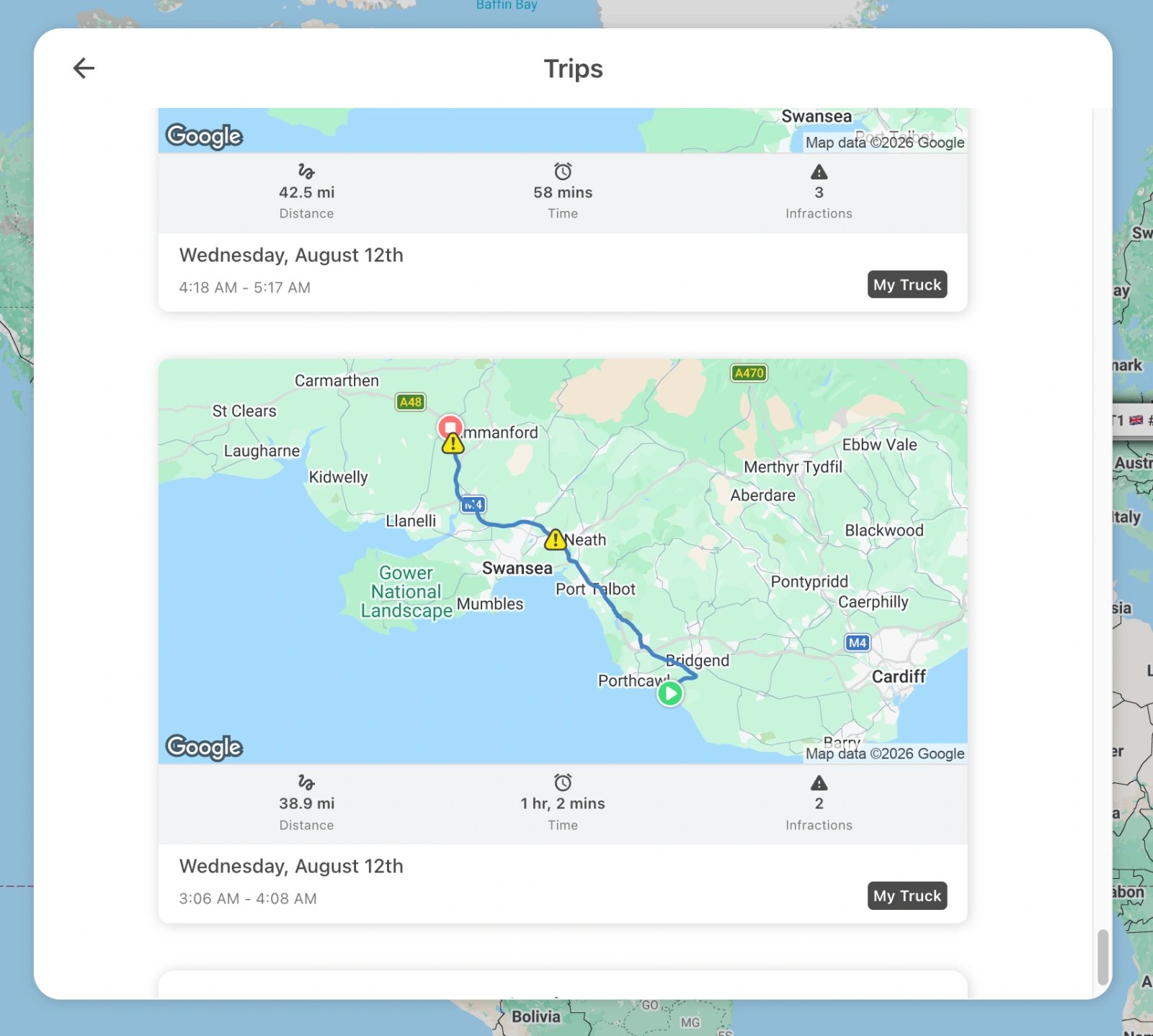
Select a Time Range
Use the date picker to narrow down the trips you want to see. You can choose:- A single day to review all journeys made on that date
- A date range spanning days, weeks, or months for a broader overview
Playback a Route
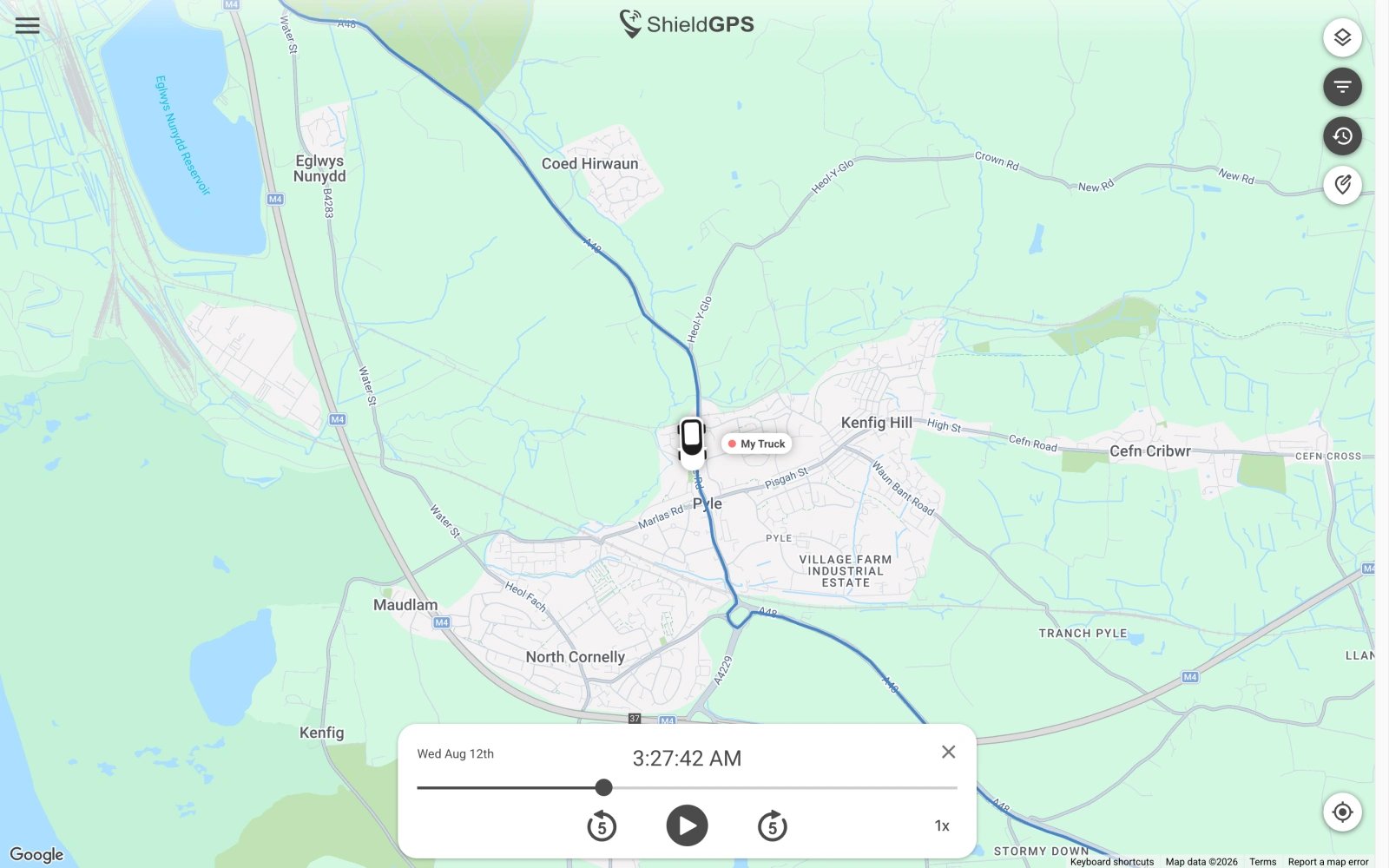
Tap any trip in the list to load it onto the map. Once the route appears, tap the Play button to animate the tracker’s movement along the recorded path. You can:- Pause at any point to inspect a specific location
- Adjust playback speed to fast-forward through long journeys or slow down to examine a particular segment in detail
- Scrub the timeline to jump directly to any moment in the trip
Trip Details
Each recorded trip includes the following information:Mileage Logs
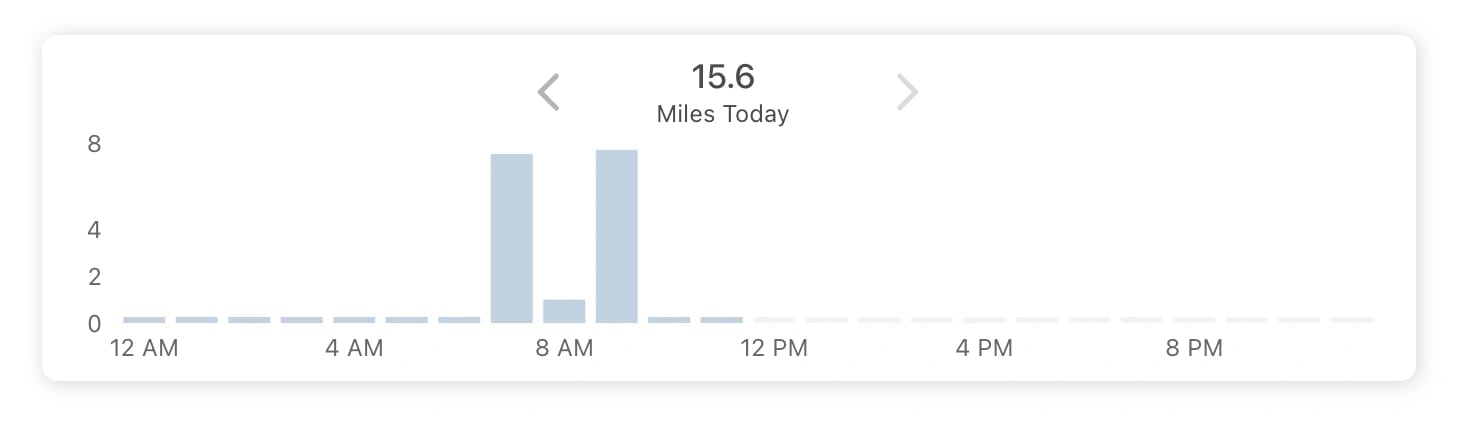
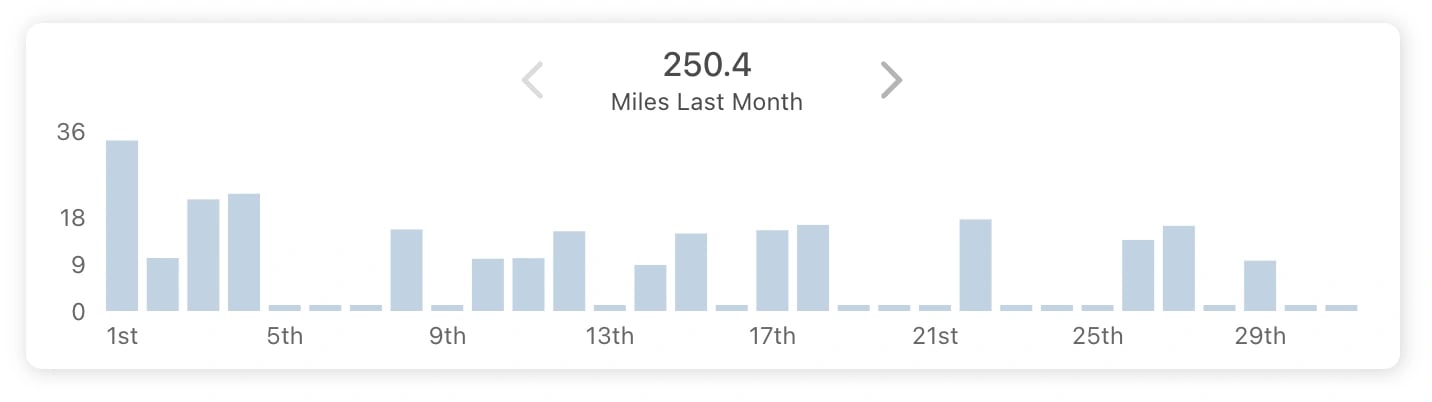
ShieldGPS automatically logs mileage for every trip. From the History screen you can view:- Per-trip mileage — the distance recorded for each individual journey
- Cumulative mileage — a running total across all trips in the selected time range
History is retained as long as your subscription is active. If your subscription lapses, historical data may become inaccessible until the subscription is renewed.